
How to delete your account
You can delete your Historydle account directly in the app. It only takes a moment.
Step by step
The screenshots show an earlier version of the app in German. The colours and labels look different today, the steps are the same.
Open the app.
Sign in to your account.
Go to the How to Play screen.
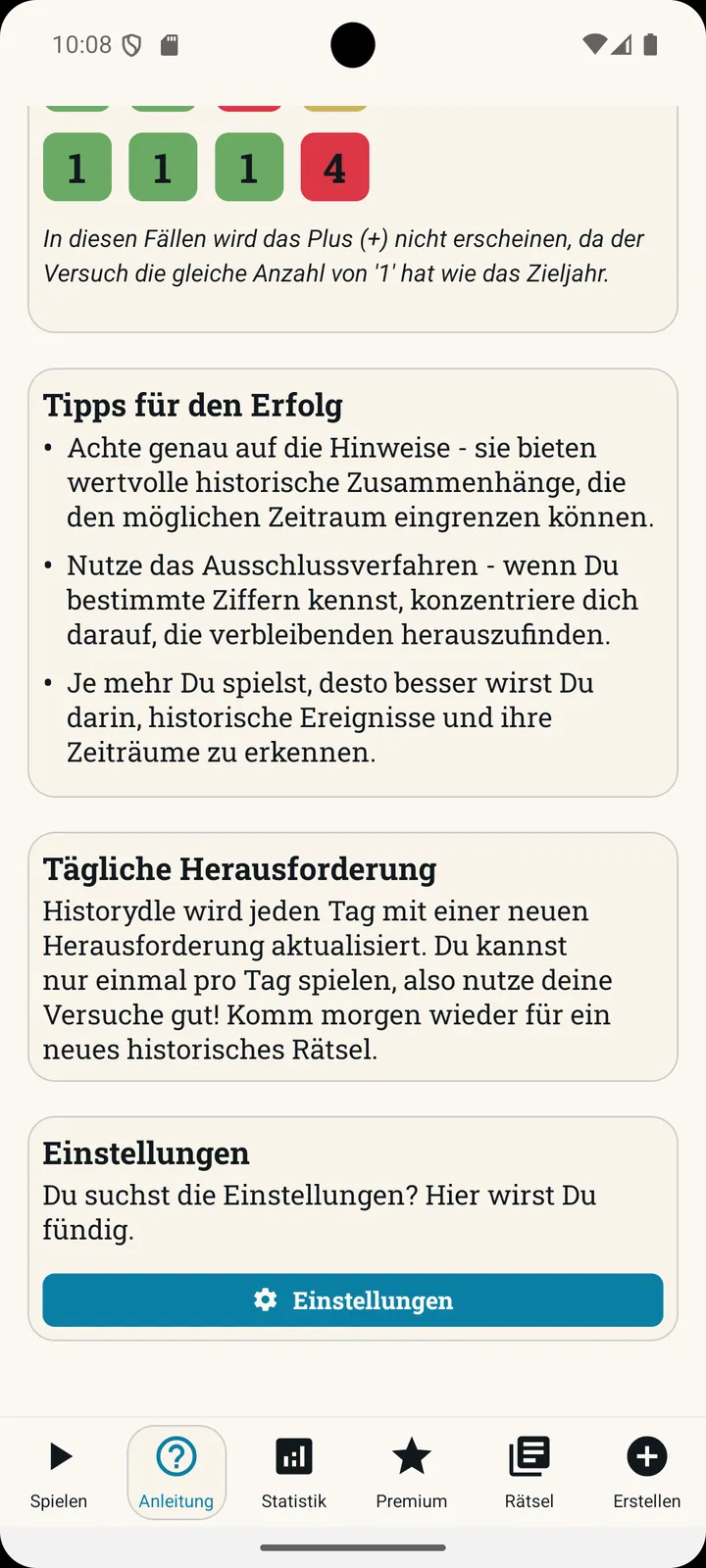
The How to Play screen – scroll to the bottom of the page. Scroll to the bottom of the page and tap “Settings”.
Tap “Delete Account” at the top of the settings page.
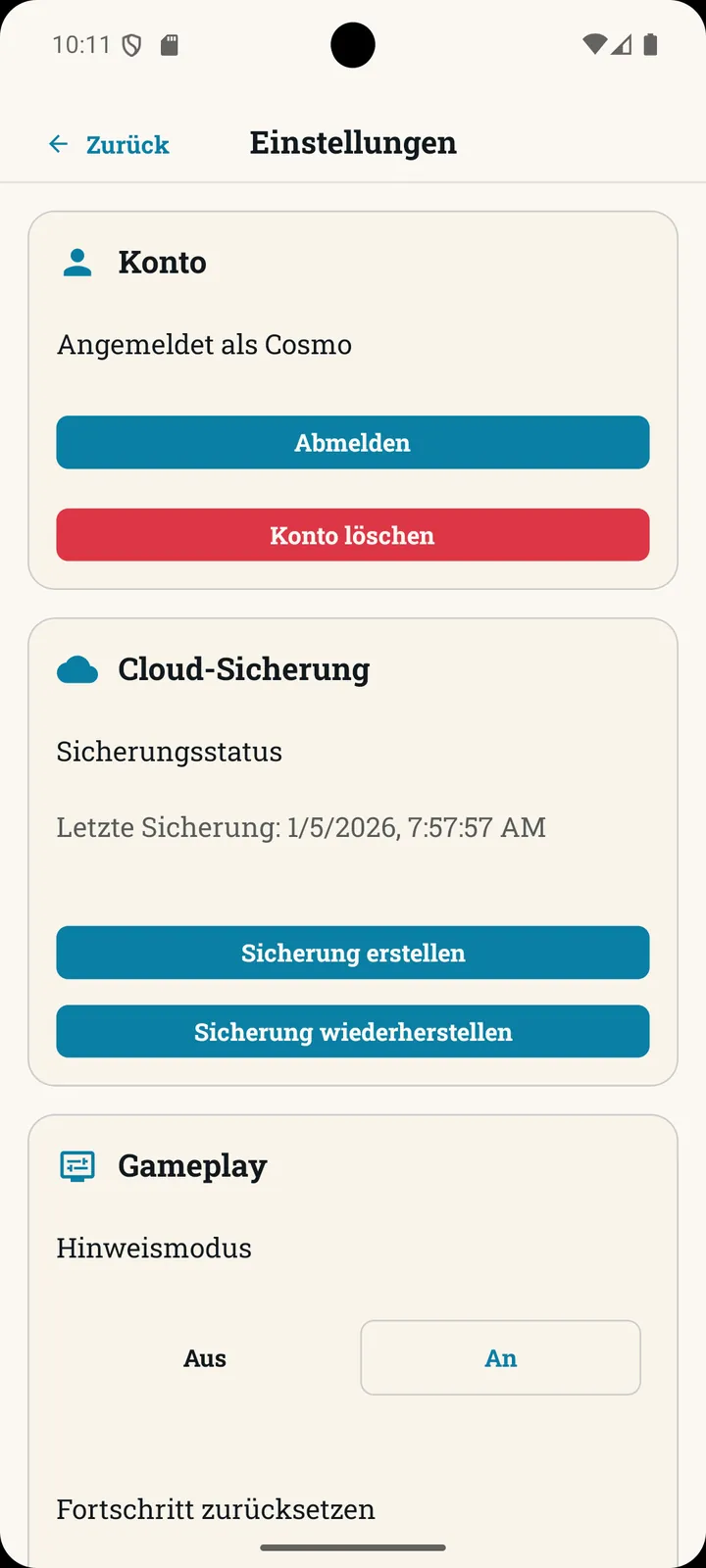
The settings page with the “Delete Account” button. Confirm the deletion in the dialog.
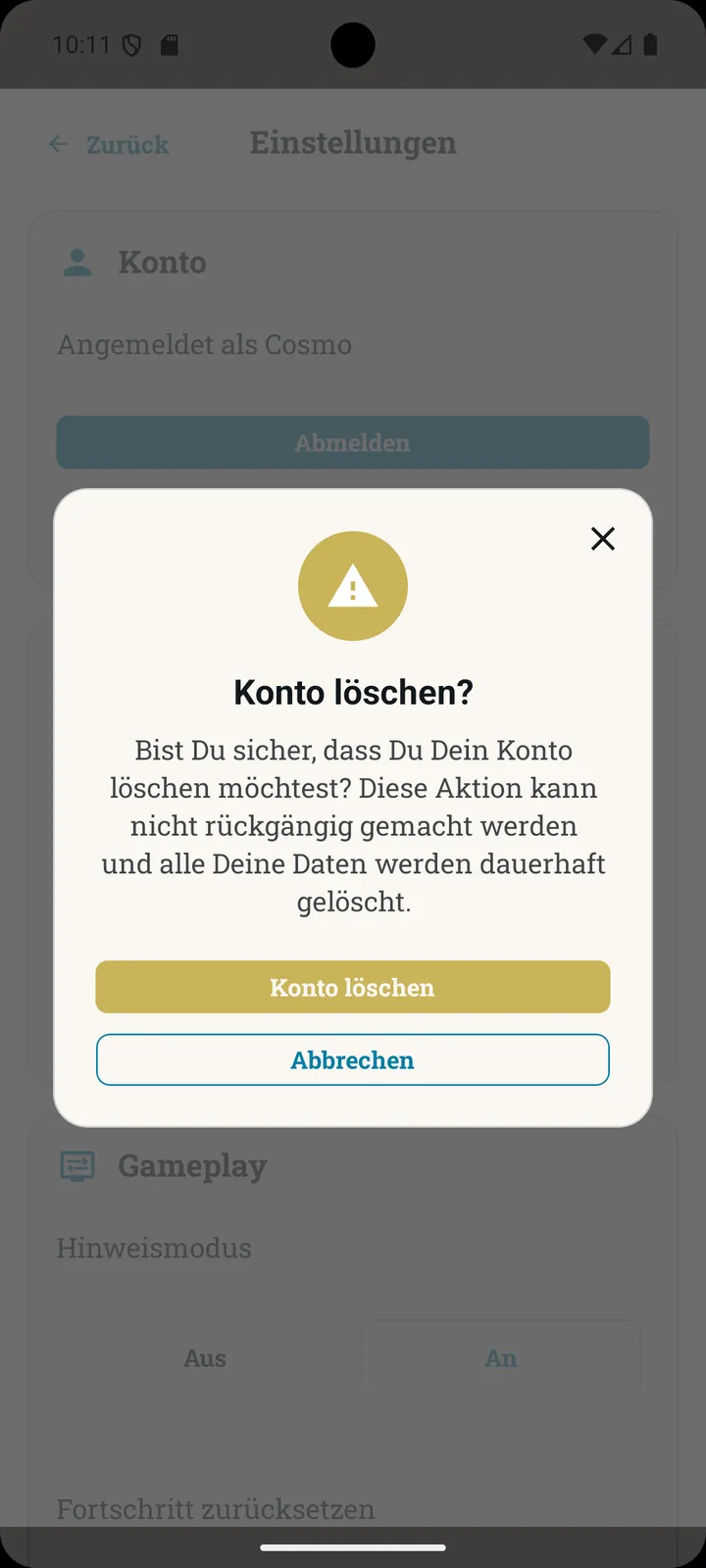
The confirmation dialog for deleting your account.
No access to the app any more?
Send us an email from the address you registered with and we will delete your account for you.